
OwnMates Feature
Unfollow
Followed someone by mistake? Here’s how to undo it in the app.
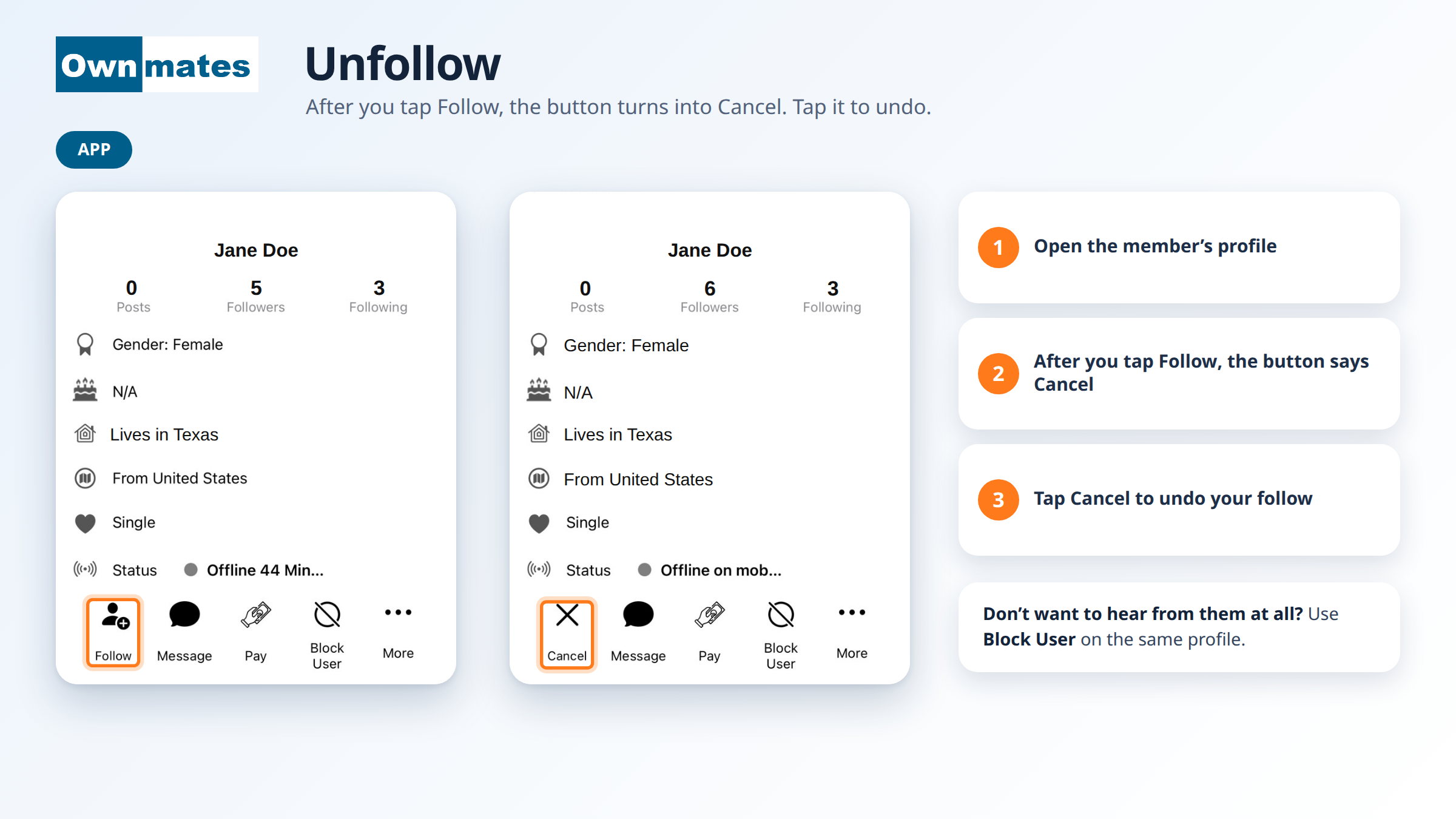
If you followed a member by mistake, or you’ve changed your mind, you can undo it from their profile. In the app the button you need is Cancel. It shows up where the Follow button was, right after you follow someone.
Undo a follow in the app
- Open the member’s profile. The search icon at the top of the app helps you find them.
- Look at the row of buttons under their details. Where Follow was, you now see Cancel.
- Tap Cancel.
You can follow the member again later. Open their profile and tap Follow.
If you don’t want to hear from someone
Use Block User on their profile. It’s in the same row as Message and Pay. Blocking is a bigger step than cancelling a follow, so save it for when you really want a member to stop contacting you.
On the website
There’s no Follow on the website, only friends. To remove a friend, open My Friends and click Remove next to their name. To take back a friend request you sent, click Cancel Request.
Quick answers
Why does the button say Cancel?
After you tap Follow, the button on that profile turns into Cancel so you can take it back.
Can I follow them again?
Yes. Open their profile again and tap Follow.
Back to Following People.