
OwnMates Feature
Activity Notifications
Know when something new happens, without checking every page.
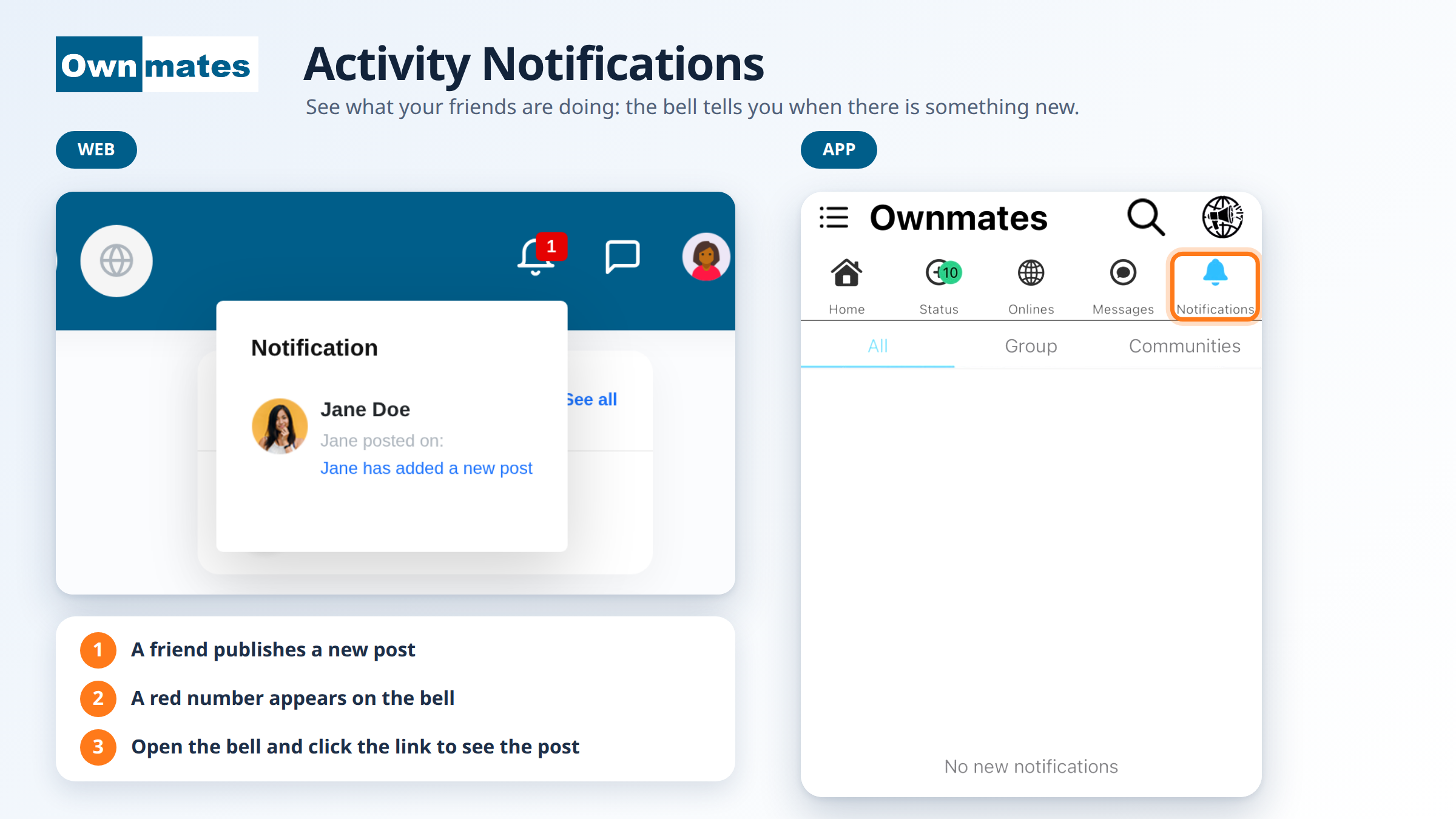
When one of your friends publishes a new post, OwnMates adds a notification for you. That’s the one kind of notification we found on the website, so that’s what this page covers.
On the website
- Look at the bell in the top bar. A red number shows how many new notifications you have.
- Click the bell. A Notification box opens.
- Each notification has the member’s picture and name, plus a short message such as “Jane has added a new post”.
- Click the blue link to open the post.
Only new notifications are listed. If there’s nothing new, you won’t see the red number.
In the app
- Tap Notifications (the bell) in the menu under the app title.
- Pick a tab: All, Group or Communities.
- If there’s nothing new, the app says No new notifications.
Quick answers
Why is there no red number on my bell?
You have nothing new. When a friend posts, it shows up.
Can I stop notification emails?
Yes. See Notification Settings.