
OwnMates Feature
Online Users
See which members are online right now.
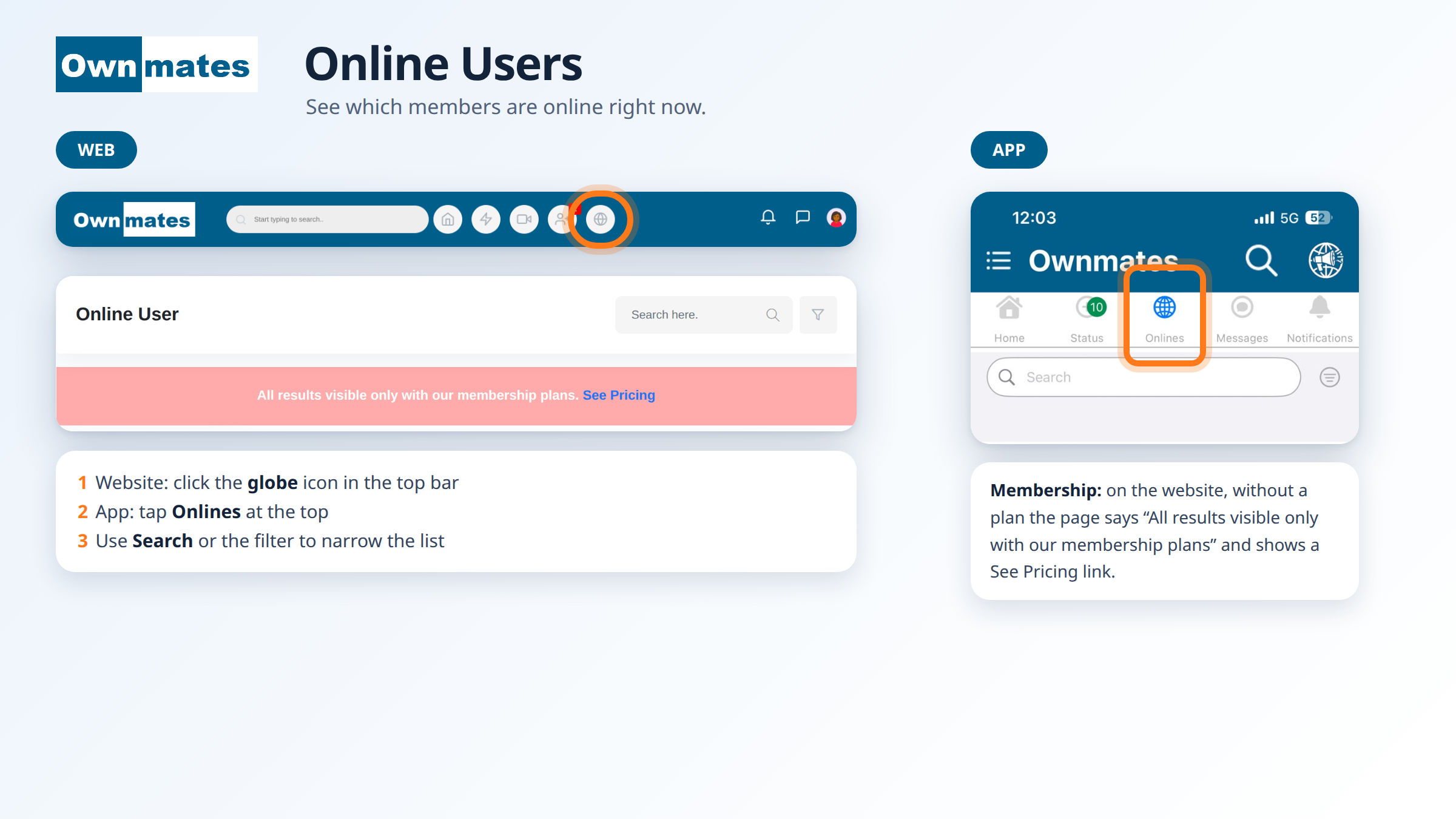
The Online User page lists members who are online at the moment, so you know who you can talk to right away.
How to open it on the website
- Click the globe icon in the top bar.
- The Online User page opens.
- Type a name in Search here, or use the filter button next to it to narrow the list.
Membership
Without a membership plan the page says “All results visible only with our membership plans” and shows a See Pricing link. Click it to see the plans.
In the app
Tap Onlines in the bar at the top of the app, next to Status and Messages. You get a Search box and a filter button, and the list loads while the screen says “Please Wait…”.
Quick answers
Why is the list empty?
You may not have a membership plan. The page tells you so at the top.
How do I find a certain member?
Use the Search here box or the filter on the Online User page.