
OwnMates Feature
Earning Money
Earn coins when Premium members like, comment on or share your posts, then withdraw them.
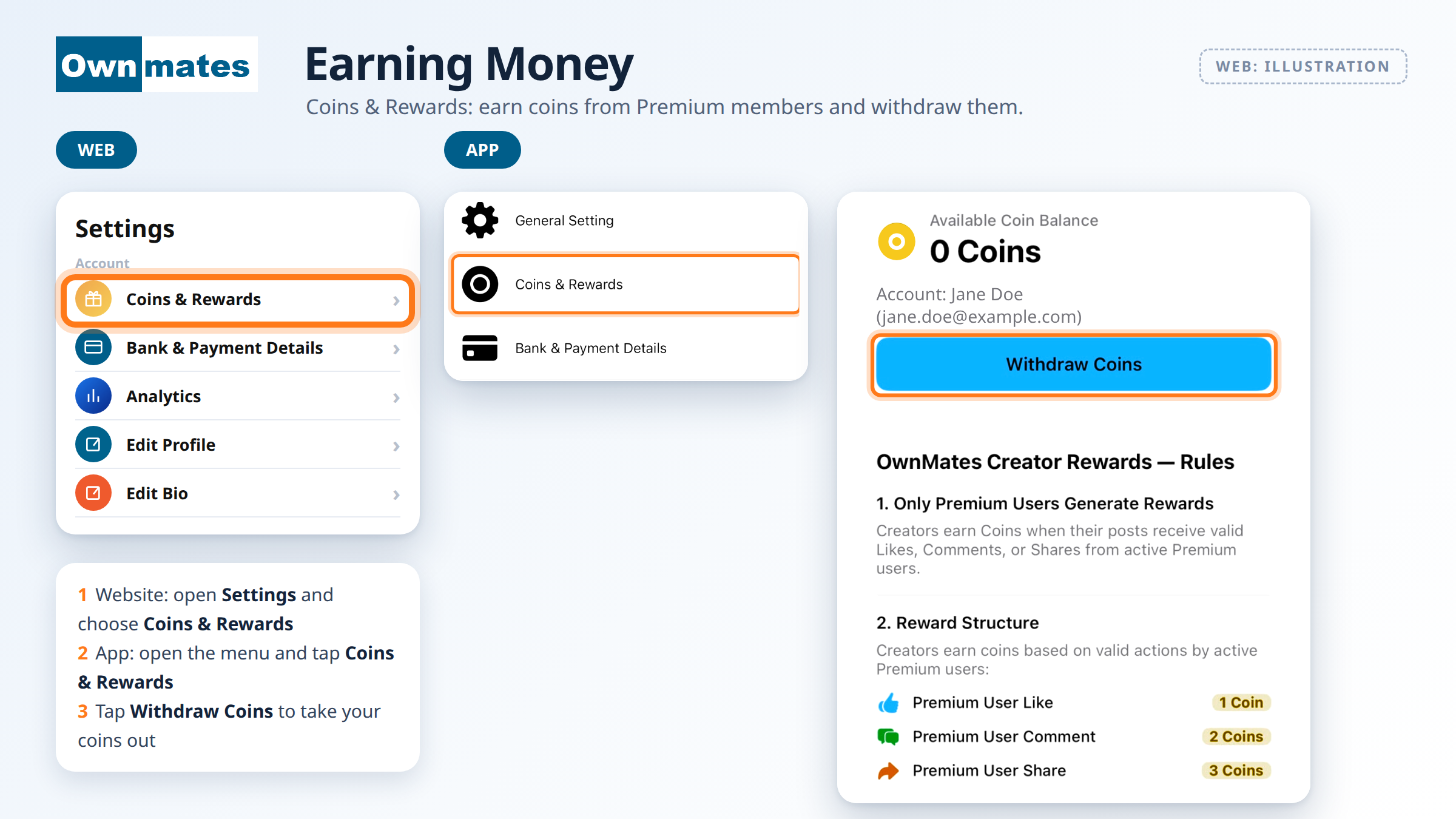
Creators can earn money on OwnMates. You earn in coins. Your balance, the rules and the Withdraw button are all on the Coins & Rewards screen.
Where to find it
- Website: open Settings and choose Coins & Rewards.
- App: open the menu and tap Coins & Rewards.
What you see
At the top is your Available Coin Balance, for example 0 Coins, with your account name and email under it and a Withdraw Coins button. Below that are the OwnMates Creator Rewards rules.
How you earn coins
You earn when your posts get valid actions from active Premium members:
- A Premium member likes your post: 1 coin
- A Premium member comments: 2 coins
- A Premium member shares it: 3 coins
The rules
- Only Premium members generate rewards.
- A Premium member can earn you only one reward for the same action on the same post.
- Spam, fake accounts, bots, automated activity, duplicate accounts and manipulated engagement don’t earn coins.
- Low-quality, repetitive or spam comments may be left out.
Taking your money out
Tap Withdraw Coins. Before you do, tell OwnMates where to send the money. You do that in Payment Details.
Quick answers
Does every like earn coins?
No. Only valid likes, comments and shares from active Premium members count.
Why is my balance 0?
Nothing has come in yet. Coins arrive when Premium members like, comment on or share your posts.
How do I see which posts do well?
Open Analytics.
Next: Payment Details.