
OwnMates Feature
Following People
Follow members in the app to build your network and see how many people follow you.
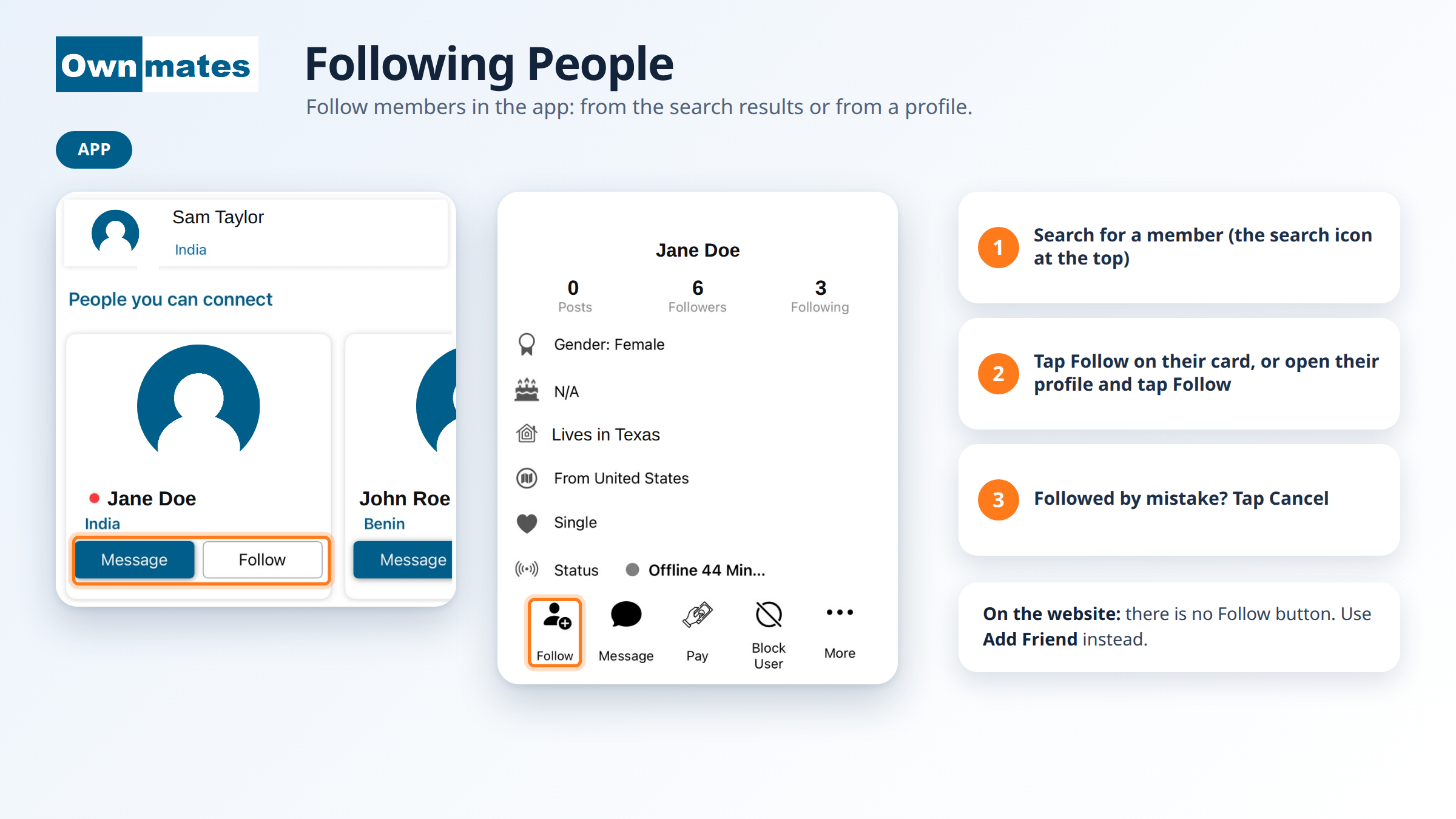
Following is how you keep up with someone in the OwnMates app. Every profile shows two numbers: Followers (people who follow that member) and Following (members they follow). Follow is an app feature. On the website you use Add Friend instead, see the end of this page.
Follow someone from search
- Tap the search icon at the top of the app.
- Type the member’s name.
- Look under People you can connect.
- Tap Follow on their card. If you’d like to say hello first, tap Message instead.
Follow from a profile
- Open the member’s profile.
- Under their details you’ll see a row of buttons: Follow, Message, Pay, Block User and More.
- Tap Follow.
Once you’ve followed, the button changes to Cancel. Followed someone by mistake? Tap Cancel. More on that in Unfollow.
Your own Followers and Following
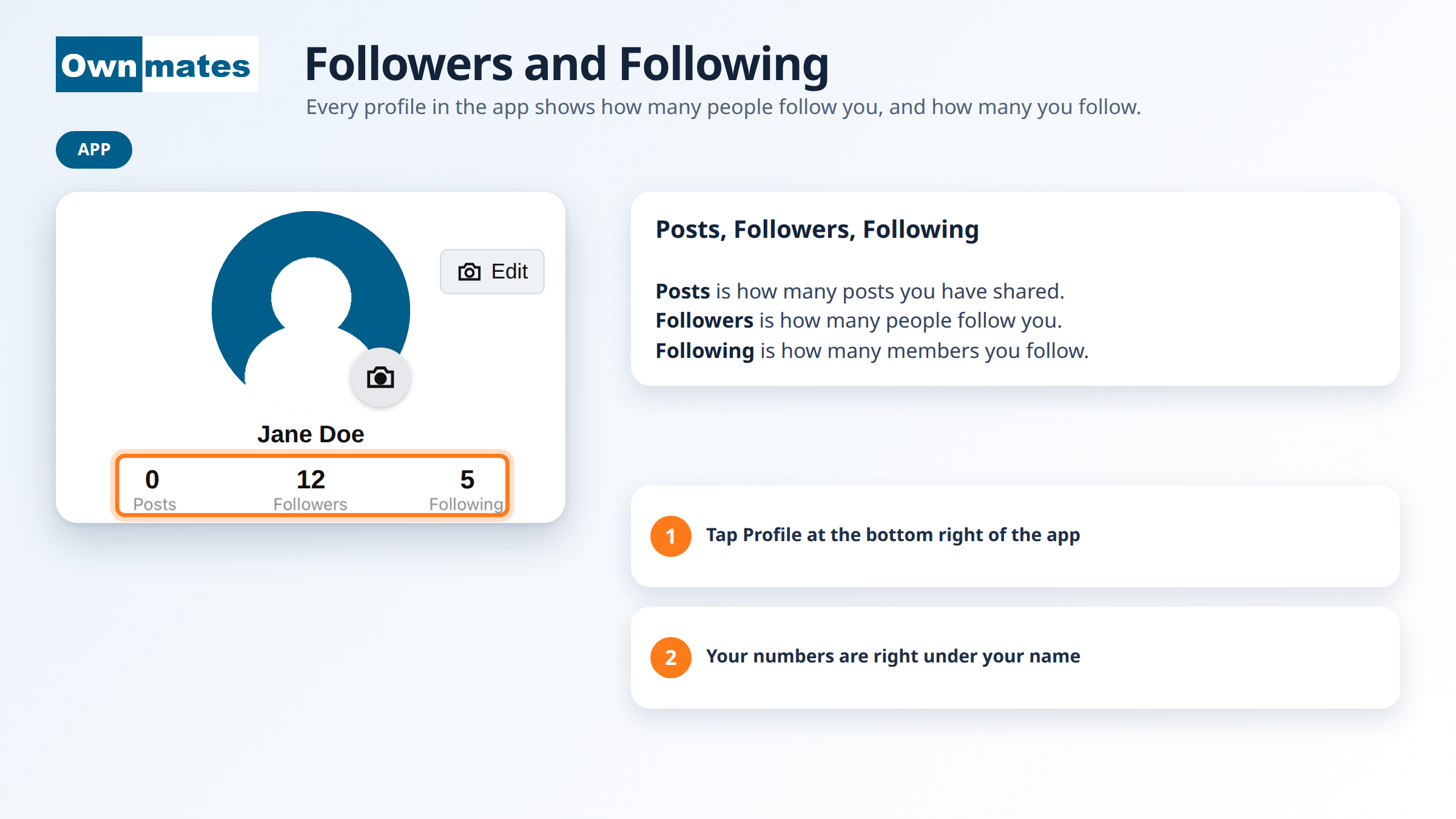
Tap Profile at the bottom right of the app to see your own numbers. Followers is how many people follow you. Following is how many members you follow.
The other buttons on a profile
- Message sends the member a message.
- Block User is for when you don’t want to be in touch with someone.
- More opens more options for that profile.
On the website
The website has no Follow button. To connect with a member there, use Add Friend. They’ll see your request and can tap Accept.
Quick answers
Can I follow someone from the website?
No. Following is only in the app. On the website, send a friend request with Add Friend.
Where do I see how many followers I have?
Open the Profile tab in the app. Your numbers are under your name.
Next: Unfollow.