
OwnMates Feature
Create a Group
Start a group or an event for friends, family or anyone who shares an interest, and choose how people join.
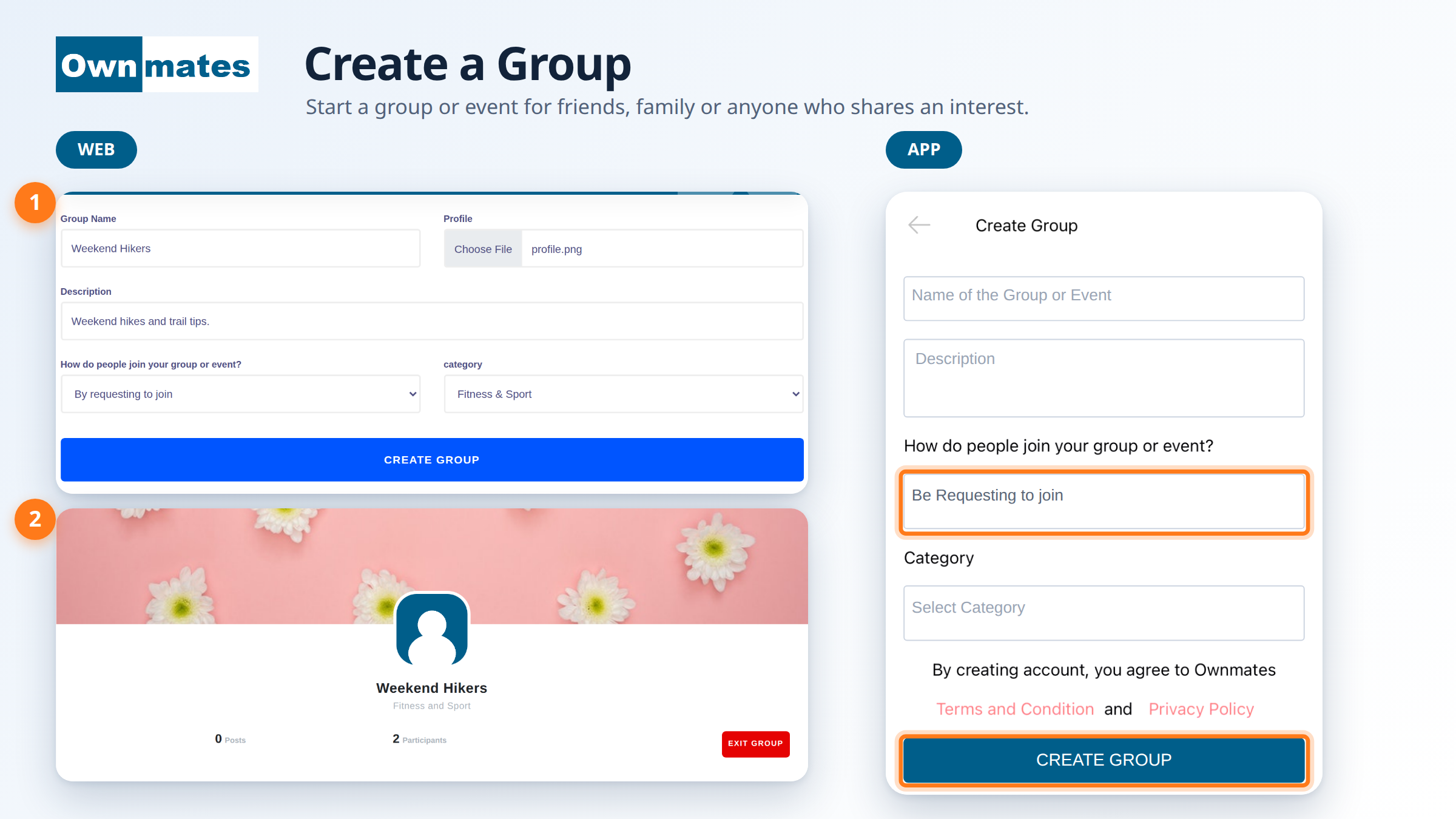
A group is a shared space for a family, a team, a club or an event. Members can post for each other. You pick the name, describe the group and decide who can join. As the creator you’re the owner and the first participant.
Create a group on the website
- Open Create Group from the Groups area.
- Type a Group Name. It has to be one nobody has used yet. OwnMates tells you if it’s taken.
- Add a short Description.
- Choose a Profile picture for the group.
- Under How do people join your group or event? pick By requesting to join or By simply joining.
- Pick a category, like Fitness & Sport, Travel or Music.
- Click CREATE GROUP. You’ll see “Group created successfully!”
Create a group in the app
- Open My Groups and tap Create Group.
- Fill in Name of the Group or Event and the Description.
- Choose how people can join, then pick a Category.
- Tap CREATE GROUP.
Creating a group means you accept the OwnMates Terms and Conditions and Privacy Policy, as the app screen says.
How people join
- By requesting to join: people send a request and you accept or decline it.
- By simply joining: people can join without waiting for you.
After you create it
Your group page shows the picture, name, category, the number of Posts and Participants, and your description. In the app the group appears under My Groups with its participant count.
Quick answers
Can I use any name?
It has to be unique. If someone already has it, choose another.
Is this for events too?
Yes. The same form makes a group or an event.
How are groups different from communities?
They work in a similar way but live in separate lists. See Join a Community.
Next: Group Members.