
OwnMates Feature
Edit Profile
Tell people about yourself: your interests, language, birthday and more.
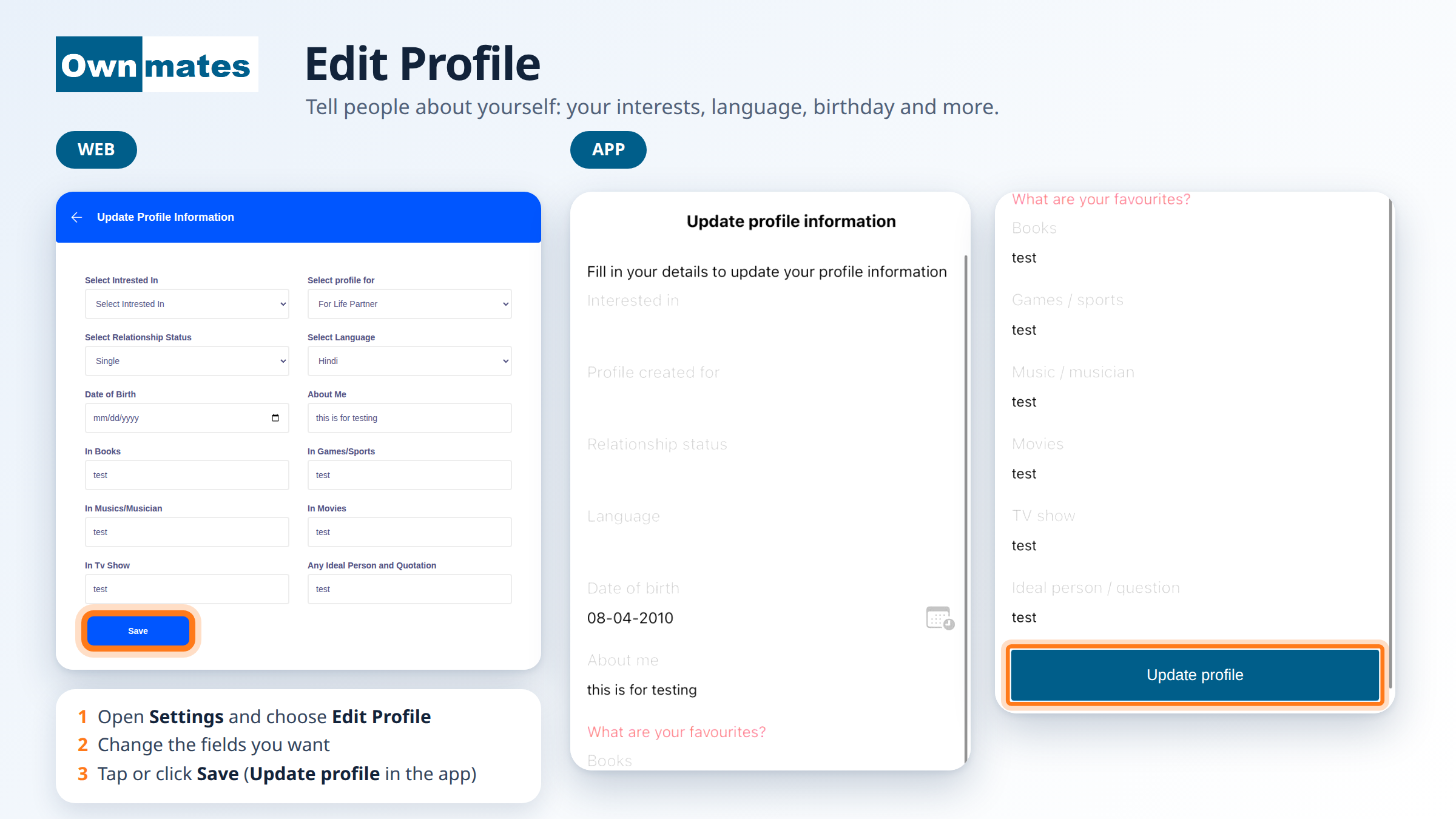
There’s no Edit Profile button on your Profile page. You open it from Settings. The Profile page only has camera buttons for your pictures (see below).
Edit your details on the website
- Open Settings and choose Edit Profile.
- The Update Profile Information page opens. Change the fields you want.
- Click Save. OwnMates shows “Profile updated successfully.”
Edit your details in the app
- Open the menu and tap Edit Profile. The Update profile information screen opens. It says “Fill in your details to update your profile information.”
- Fill in Interested in, Profile created for, Relationship status, Language, Date of birth and About me.
- Under What are your favourites? add your Books, Games / sports, Music / musician, Movies, TV show and Ideal person / question.
- Tap Update profile.
What you can add
- Interested in: Man and Woman, Man or Woman.
- Profile for: why you’re here, for example For Friendship, For Business Partner or For Job/Career.
- Relationship status, such as Single, Complicated or Married.
- Language and Date of birth.
- About me: one line about you.
- Favourites: books, games and sports, music, movies, TV shows, and an ideal person or quote.
Nothing is saved until you click Save (or tap Update profile in the app).
Change your profile picture and cover photo
- Open your Profile page.
- On the website, click the camera button on the cover to change the cover photo.
- Click the camera button on your picture to change your profile picture.
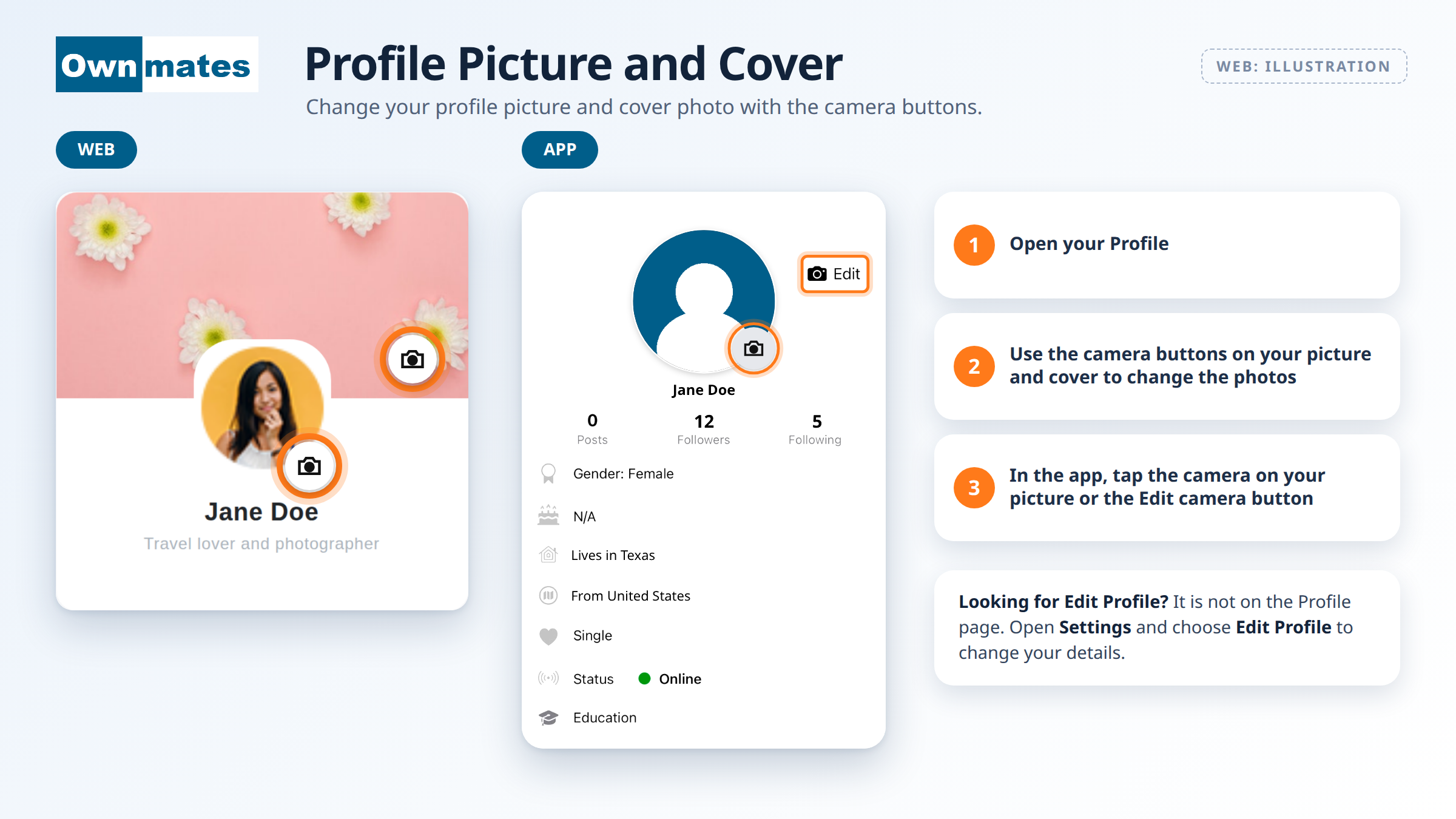
In the app, open the Profile tab at the bottom. Tap the camera on your picture, or the Edit camera button next to it. The screen also shows your name, your Posts, Followers and Following, and details like gender, where you live, relationship status and education.
Quick answers
Do I have to fill in everything?
No. Fill in only what you’re happy to share.
Who sees my details?
You control some of that. See Profile Privacy.