
OwnMates Feature
Group Members
See who’s in a group, accept people who ask to join, and leave a group when you want to.
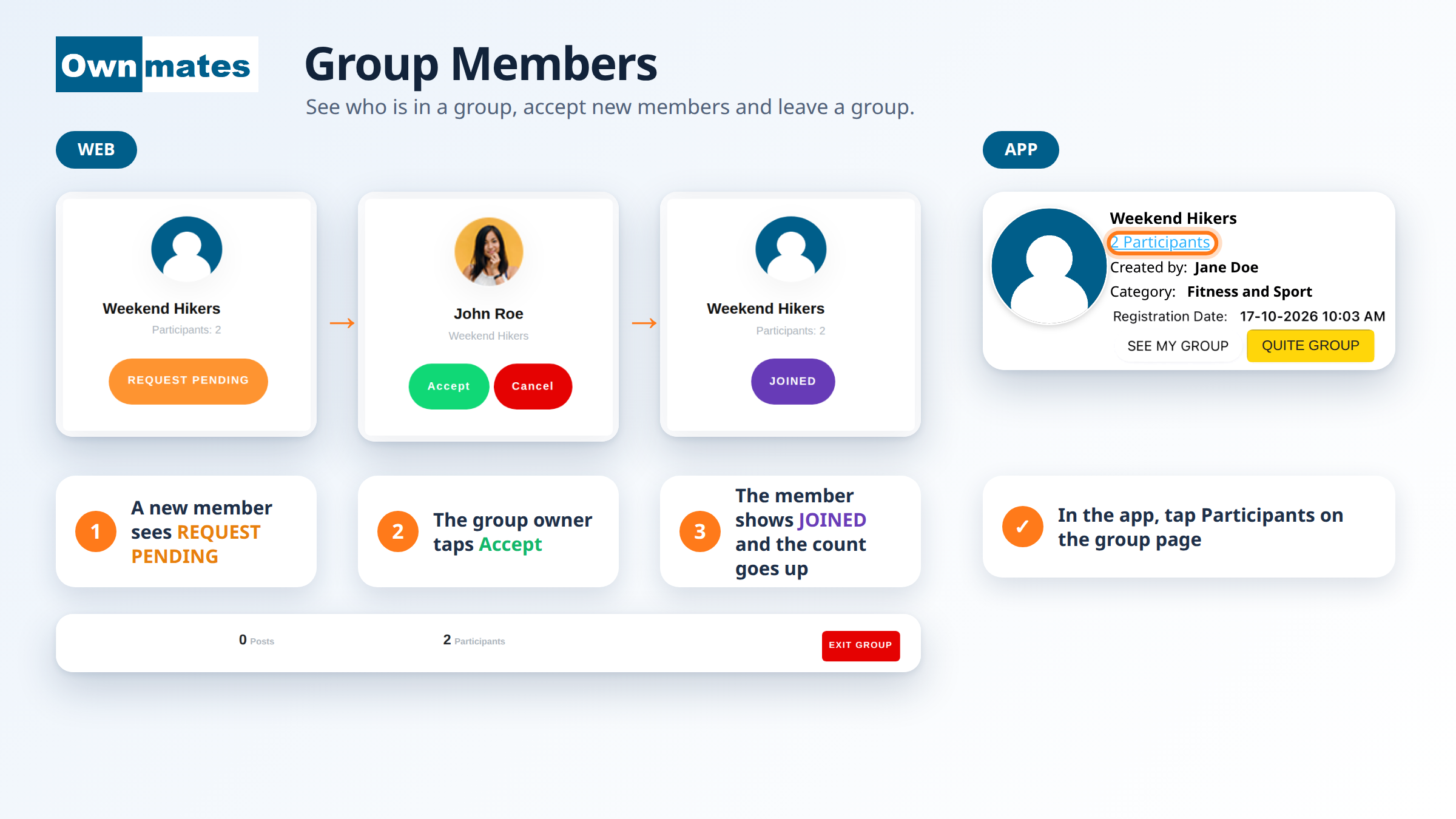
Every group shows how many Participants it has. The person who made the group is the first one. Each time someone joins, the number goes up. In the app the number is a link on the group page.
Joining a group
- Open the list of groups and find one you like.
- Click JOIN GROUP. OwnMates shows “Group joined successfully.”
- If the group asks for requests, the button turns into REQUEST PENDING. Now you wait for the owner.
- Once the owner accepts, the button says JOINED.
If you own the group
- Open Group Request. Each request shows the member’s name and the group.
- Click Accept to let them in. OwnMates shows “Member approved successfully.”
- Click Cancel to turn the request down.
Groups set to By simply joining skip this. There’s no approval step. You choose that when you create the group.
Leaving a group
On the website, open the group and click Exit Group. In the app, open the group and tap the Quit Group button.
Quick answers
Why does my button say Request Pending?
The owner has to accept new members first. You can take part as soon as they do.
Who can accept members?
The group owner, from the Group Request page.
Back to Create a Group.