
OwnMates Feature
Notification Settings
Choose whether OwnMates sends you notifications by email.
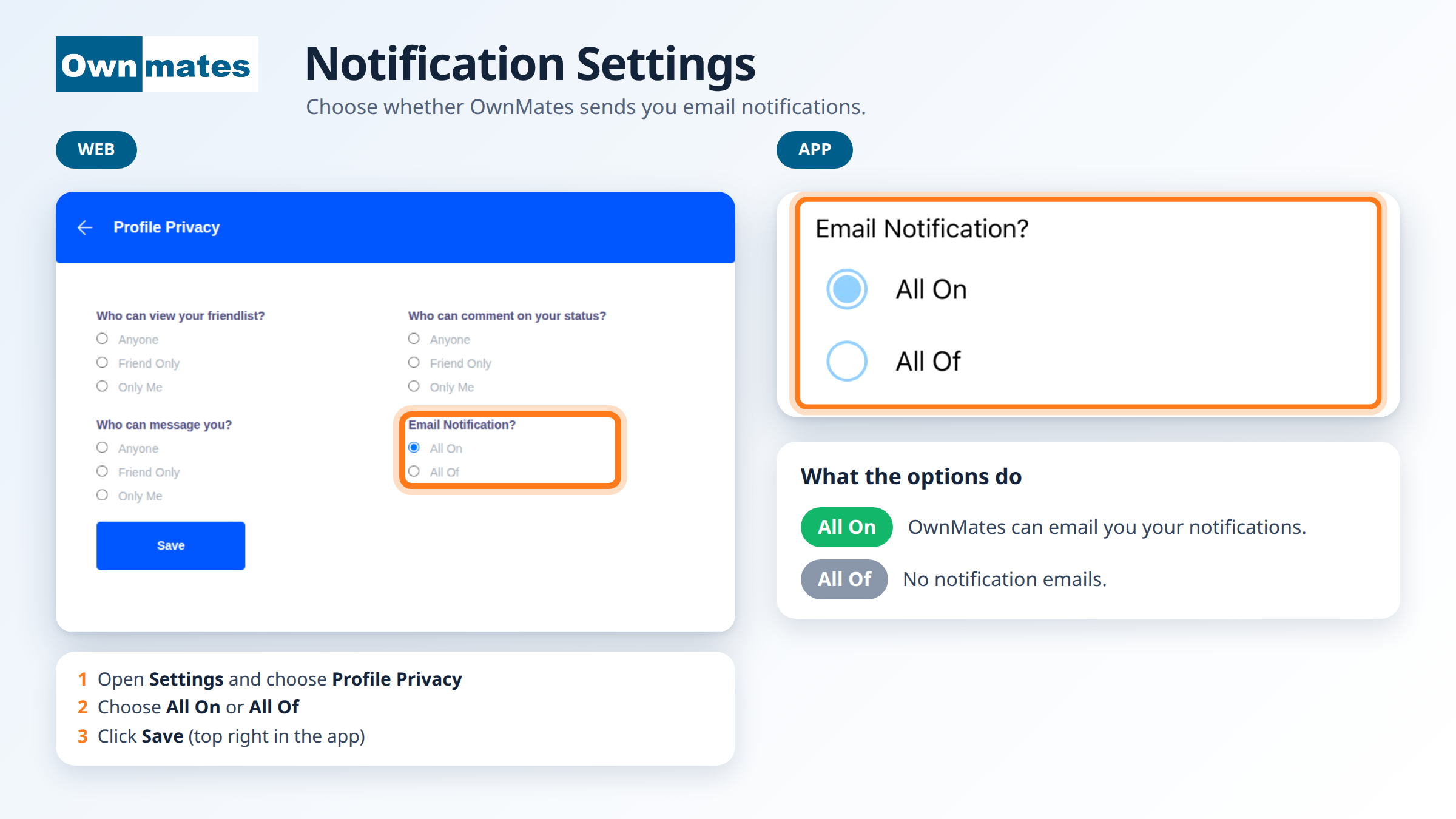
There’s one notification setting: Email Notification?. It lives on the Profile Privacy page in Settings.
Change it on the website
- Open Settings and choose Profile Privacy.
- Find Email Notification?.
- Pick All On if you want notification emails, or All Of if you don’t.
- Click Save.
Change it in the app
In the app, open the menu and tap Profile Privacy. It shows the same setting. Choose All On or All Of and tap Save at the top right.
What each option does
- All On: OwnMates can email you your notifications.
- All Of: no notification emails.
The same page also holds your other privacy choices, like who can see your friendlist or message you.
Quick answers
Do I need to press Save?
Yes. If you don’t, your choice isn’t kept.