
OwnMates Feature
Payment Details
Tell OwnMates where to send your earnings: a bank account, UPI or PayPal.
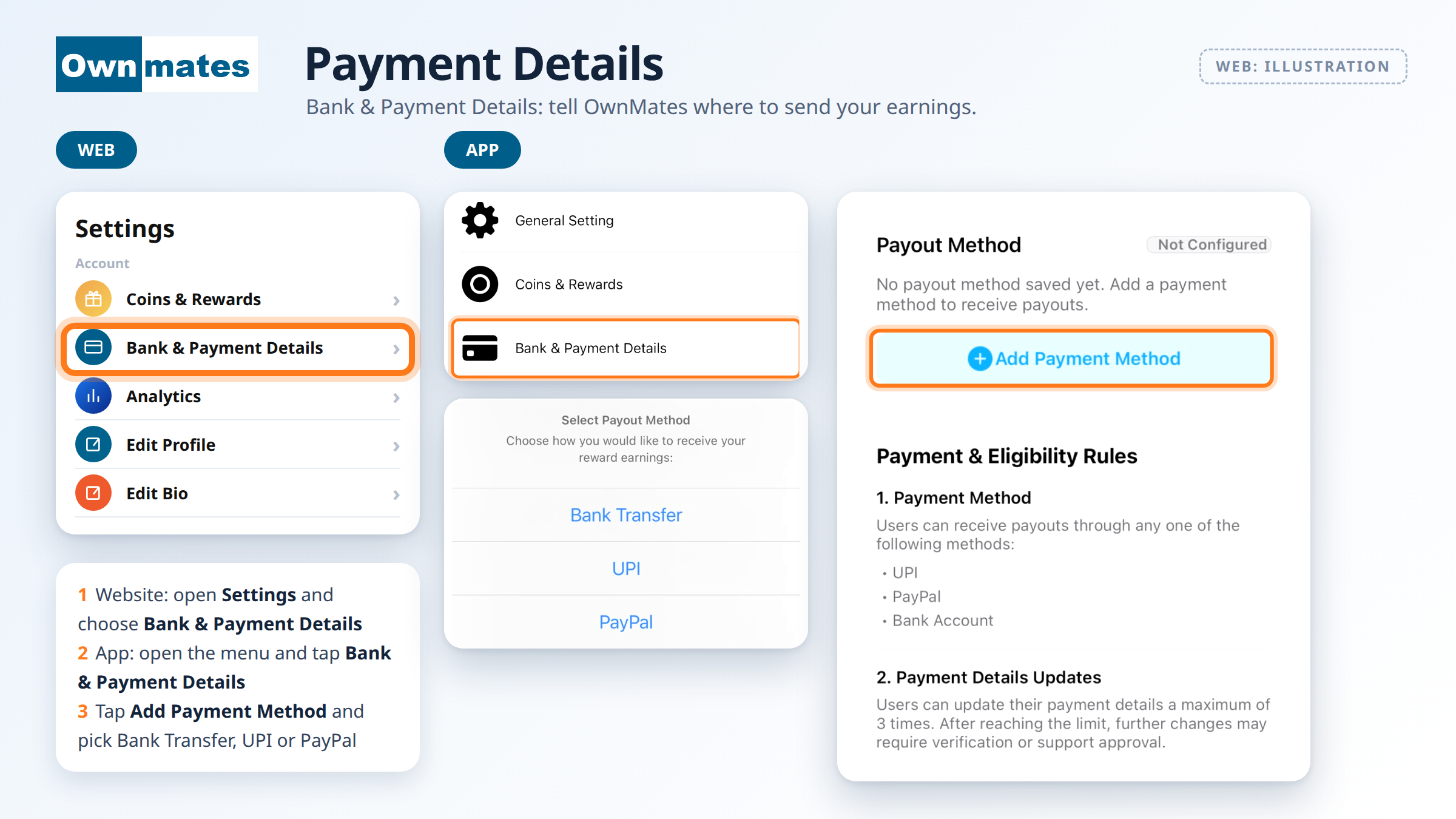
This is where you set up how you get paid. Until you add a payout method, the screen says Not Configured.
Where to find it
- Website: open Settings and choose Bank & Payment Details.
- App: open the menu and tap Bank & Payment Details.
Add a payout method
- Open Bank & Payment Details. The Payout Method card says “No payout method saved yet.”
- Tap Add Payment Method.
- Choose how you want to receive your reward earnings: Bank Transfer, UPI or PayPal.
- Enter the details for the method you picked.
Payment and eligibility rules
- Payment method: you can be paid by UPI, PayPal or bank account.
- Changing your details: you can update your payment details up to 3 times. After that, further changes may need verification or approval from support.
- Name matching: the name on the account has to be yours. For a bank account, your legal name must match the account holder. A UPI account must be linked to a bank account in the same legal name. A PayPal account must belong to the same person and legal name as your OwnMates account.
- Age: you must be 18 or older to take part.
Quick answers
Which payout methods can I use?
Bank transfer, UPI or PayPal. You pick one.
Why can’t I change my details again?
Details can be updated up to 3 times. After that you may need to be verified or get approval from support.
Does my name need to match?
Yes. The account has to be in the same legal name as your OwnMates account.
Back to Earning Money.