
OwnMates Feature
Friend Requests
Send a request, accept it, and become friends.
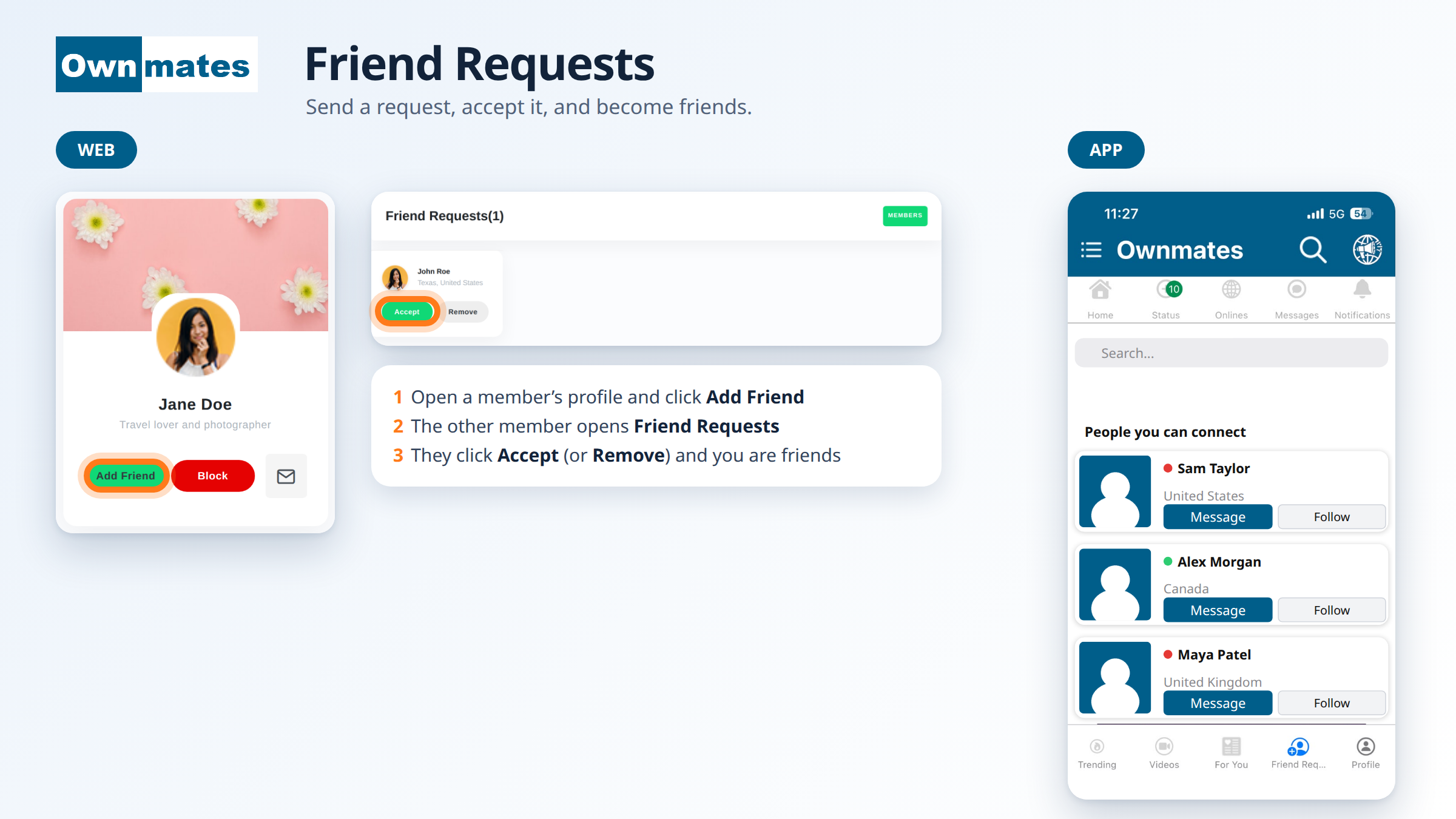
Send a friend request on the website
- Open the member’s profile.
- Click Add Friend. You’ll see “Friend request sent successfully!”
Changed your mind? The button becomes Cancel Request. Click it to take the request back.
Answer a request
- Open Friend Requests. The page shows how many you have, for example Friend Requests(1).
- Click Accept to become friends. You’ll see “Friend request accepted successfully!”
- Click Remove if you don’t want to.
Your friends appear in My Friends, with Message and Remove buttons.
In the app
Tap Friend Req... in the bar at the bottom. The screen shows a search box and People you can connect. Each card has a Message button and a Follow button. Following is explained in Following People.
Quick answers
Is a friend request the same as following?
No. A friend request needs the other member to accept. Following is an app feature.
How do I remove a friend?
Open My Friends and click Remove. See Unfollow.