

Ownmates Post

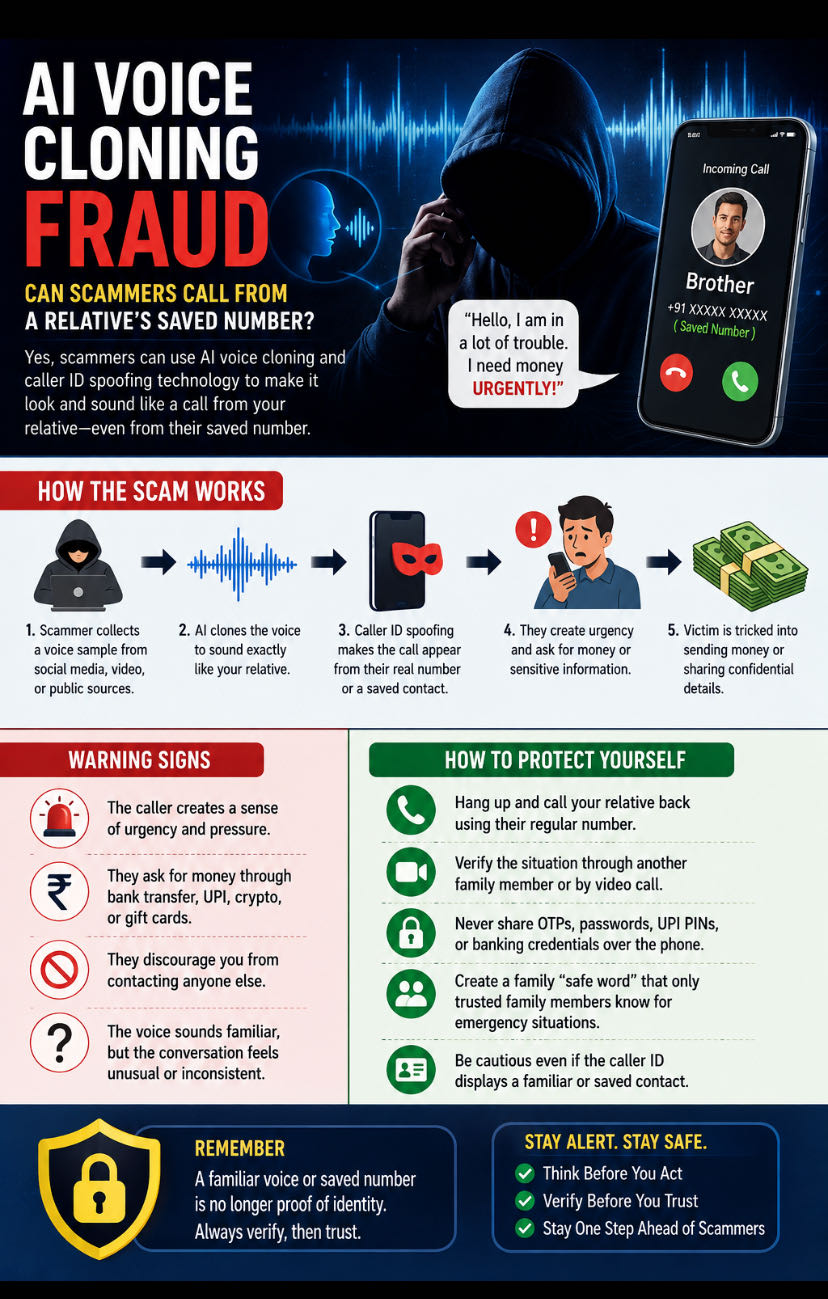
AI Voice Cloning Fraud: Can Scammers Call from a Relative’s Saved Number?
Artificial intelligence (AI) has made voice cloning technology more realistic than ever. Today, scammers can create a convincing copy of someone’s voice using just a short audio sample found on social media, messaging apps, or videos. This has led to a growing form of cybercrime known as AI voice cloning fraud.
Can a Call Come from a Relative’s Saved Number?
Yes, it is possible in some situations.
Scammers may use caller ID spoofing to make a call appear as if it is coming from a trusted contact, including a relative whose number is already saved on your phone. In other cases, if a person’s phone, SIM, or internet calling account is compromised, a fraudulent call could even originate from their actual number.
When combined with AI-generated voices, these calls can sound highly convincing.
How the Scam Works
A victim receives a call that appears to come from a family member or close friend. The caller sounds exactly like that person and claims there is an emergency, such as:
* A medical emergency
* An accident
* An arrest
* A lost wallet or phone
* An urgent need to transfer money
The scammer then pressures the victim to send money immediately or reveal sensitive information such as OTPs, banking details, or account passwords.
Warning Signs
* The caller creates a sense of urgency and asks you to act immediately.
* They request money through bank transfer, UPI, cryptocurrency, or gift cards.
* They discourage you from contacting anyone else.
* The voice sounds familiar, but the conversation feels unusual or inconsistent.
How to Protect Yourself
* Hang up and call your relative back using their regular number.
* Verify the situation through another family member or by video call.
* Never share OTPs, passwords, UPI PINs, or banking credentials over the phone.
* Create a family “safe word” that only trusted family members know for emergency situations.
* Be cautious even if the caller ID displays a familiar or saved contact.


Comments
No comments yet.